The EchoGUI module provides a graphical user interface (GUI) for visualizing and managing liquid handling picklists for an Echo Liquid Handler. The application allows users to load picklists in CSV format, visualize source and destination plates, and interactively inspect transfer volumes between wells.
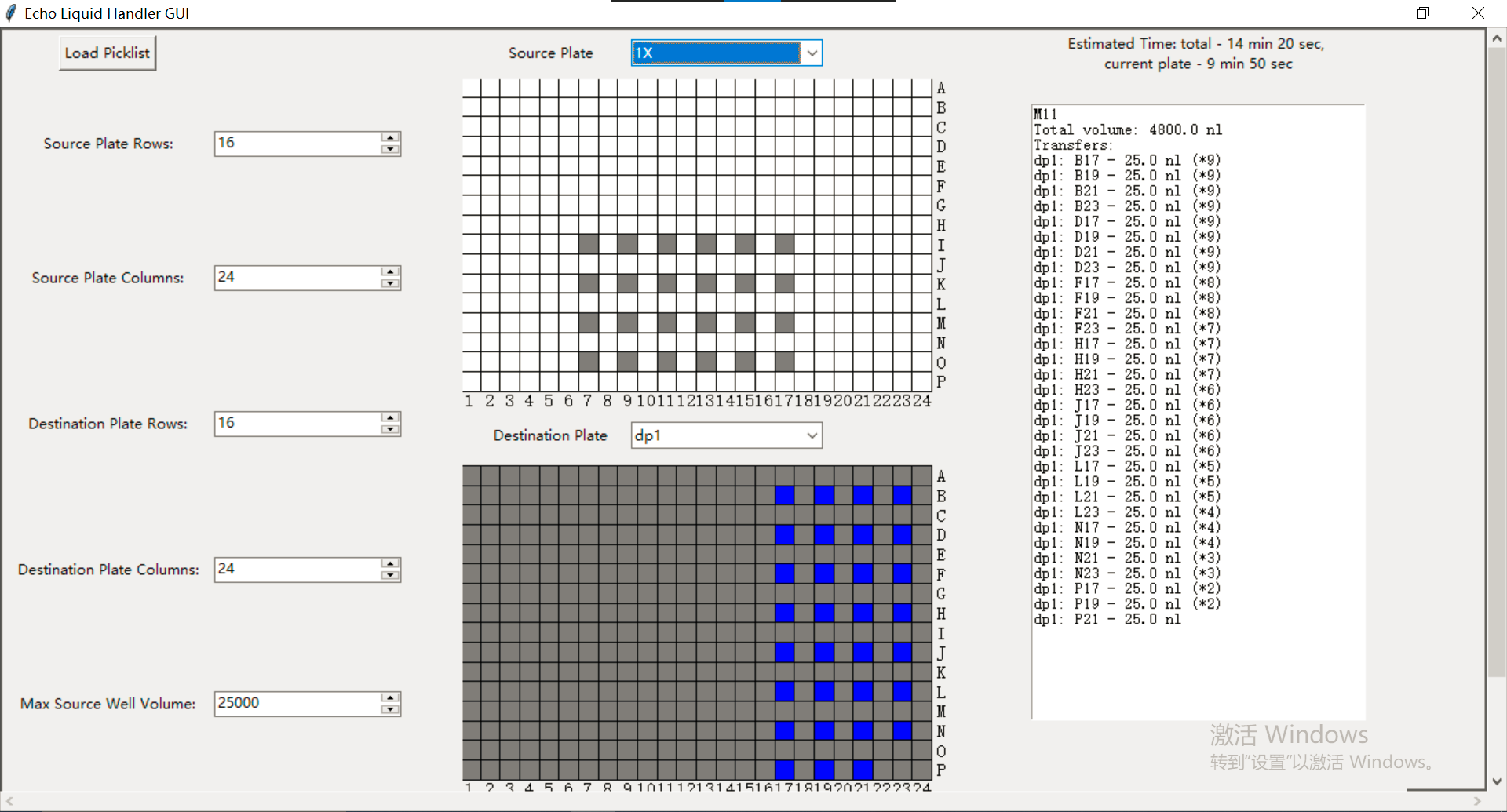
- load picklist into EchoGUI for pre-transfer inspection
- hover mouse over a well to see where the liquid from it goes / where the liquid in it comes from
- volume calculation, a well is highlighted as red when more liquid than a user defined volume (nL) would be transferred into / out of the well
- a (crappy) time estimation, works only for AQ_BP calibration
- support multiple source / destination plates
Can be used as a main function, or imported and used in a Python script.
import echogui

echogui.new_window() # can take window size as input, default size: "1920x1080"The constructor method initializes the EchoGUI object and sets up the main window and the user interface components.
master: The parent widget for the EchoGUI. This is typically the root Tkinter object.
Loads a picklist from a CSV file selected by the user using a file dialog. Once loaded, the method visualizes the source and destination plates based on the picklist data.
Creates the labels for plate grid rows and columns based on the provided parameters.
Visualizes the source and destination plates based on the picklist data, including well colors based on transfer volumes and max volume limits.
Updates the plate grids visualization based on the user-specified row and column values.
Displays detailed information about a well when the mouse hovers over it, including the total volume transferred and the related wells for the transfers.
event: The event that triggered the method call.row: The row of the well being hovered over.col: The column of the well being hovered over.well_type: The type of well being hovered over, either "src" (source) or "dst" (destination).
Removes the blue highlighting of related wells when the mouse leaves the focused well.
event: The event that triggered the method call.well_type: The type of well being hovered over, either "src" (source) or "dst" (destination).