Typed a wrong command or don't know what to do? Pay Respects will suggest a fix to your console command by simply pressing F!
- 🚀 Blazing fast suggestion: Sub-millisecond (<1ms) performance! See benchmarks.
- 🎯 Accurate results: Suggestions are verified before being prompted to
the user, no
sudosuggestions when you are usingdoas! - ✏️ Easy to write rules: You don't need to know Rust. The rules are written in a TOML format that gets parsed into Rust code!
- 🦀 Full Rust capability: Raw Rust code can be used if TOML rules are not enough for complex situations!
- 🔩 Modular: TOML and Rust not your taste? Add sources using your favorite language with a custom module!
- 🤖 AI Support: AI module comes in aid when there is no rule for your error!
- 🪶 Tiny binary size: Not even 1MB for core features!
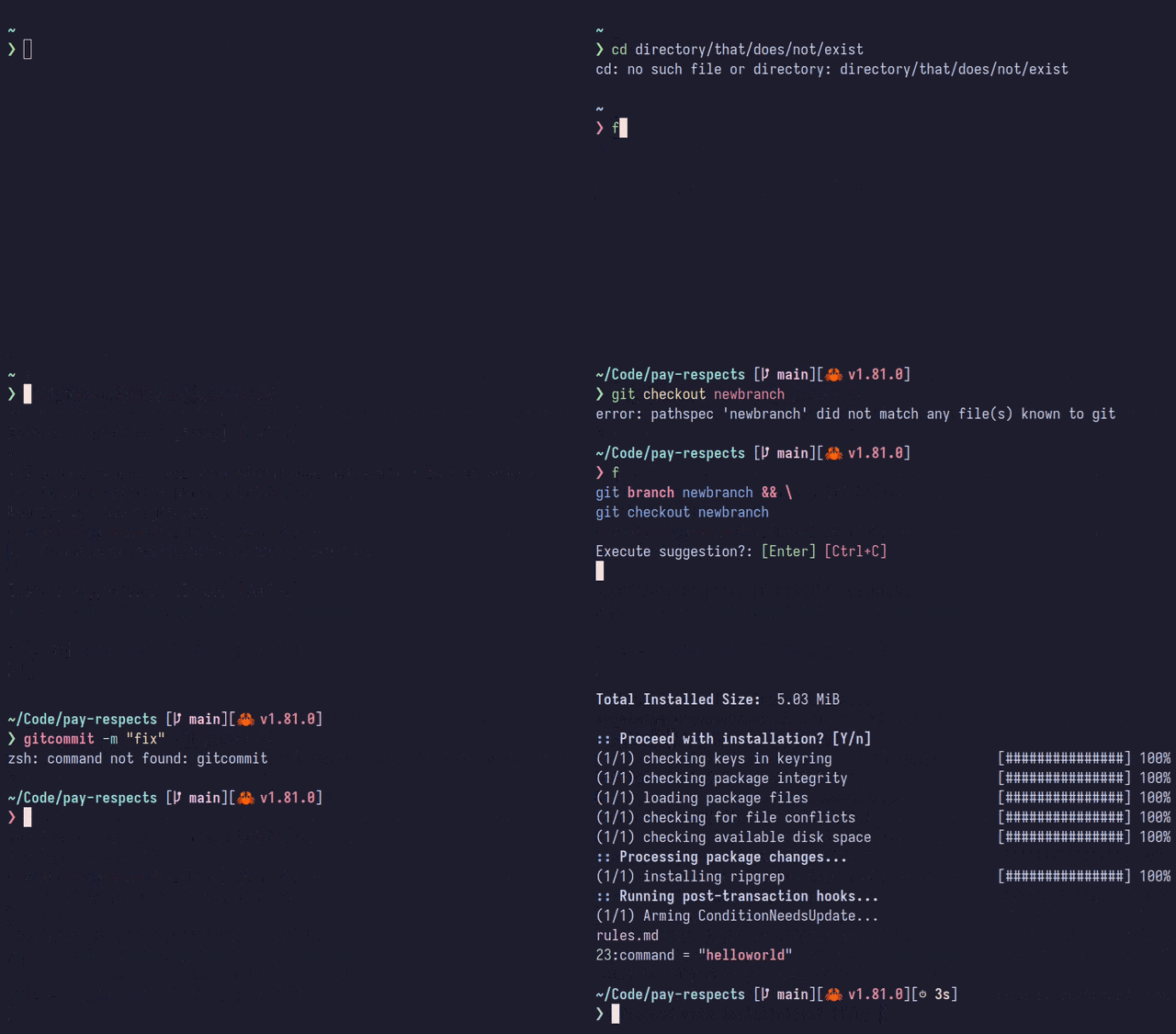
Please follow the instruction for your shell:
Bash / Zsh / Fish
Append the following line to your configuration file (
--aliasno longer required for v0.7+):eval "$(pay-respects bash --alias)" eval "$(pay-respects zsh --alias)" pay-respects fish --alias | sourceArguments:
--alias [alias]: Alias to a custom key, defaults tof--nocnf: Disablescommand_not_foundhandler
Manual aliasing (REMOVED after v0.7):
alias f="$(pay-respects bash)"
alias f="$(pay-respects zsh)"
alias f="$(pay-respects fish)"
Nushell
Add the following output to your configuration file:
pay-respects nushell --alias [<alias>]
Or save it as a file:
pay-respects nushell --alias [<alias>] | save -f ~/.pay-respects.nuand source from your config file:
source ~/.pay-respects.nu
PowerShell
Append the following output to your profile:
pay-respects pwsh --alias [<alias>]
Or directly pipe the output to your profile:
pay-respects pwsh --alias [<alias>] >> $PROFILE
Custom initialization for arbitrary shell
pay-respects only requires 2 environment variables to work:
_PR_SHELL: The binary name of the current working shell_PR_LAST_COMMAND: The last commandpay-respects echos back, if applicable, commands that should be evaluated by the working shell, such as
cdcommands to change the directoryGeneral example:
eval $(_PR_SHELL=sh _PR_LAST_COMMAND="git comit" pay-respects)
Following variables are not required, but can be used to reduce unnecessary operations:
_PR_ALIAS: A list of aliases to commands. Separated by newlines with zsh-like formatting, e.g.gc=git commit_PR_ERROR_MSG: Error message from the previous command.pay-respectswill capture output from multiplexers or rerun previous command to get the error message if absent_PR_EXECUTABLES: A space separated list of commands/executables.pay-respectswill search for$PATHif absent
You can now Press F to Pay Respects!
You will also have a key-binding available on Ctrl+X for experimental
inline mode, on-the-fly correction with no execution:
gitcommit+C-XC-X→git commitz payrespe+C-XC-X→cd /home/iff/Code/pay-respects
Integrations with other tools
- tmux, GNU Screen, Zellij, WezTerm, kitty:
- Command log capturing inside the session without the need to rerun commands to get error messages. Requires English locale (actually
LANG=C, which output is used for matching) to guarantee correct logs.- Requires a prompt prefix before your command. Initialization templates set it for you automatically.
- zoxide: Uses zoxide's database to navigate through directories.
Environment variable configurations
_PR_LIB: Directory of modules, analogous toPATH. If not provided, search inPATHor compile-time provided value_PR_PACKAGE_MANAGER: Use defined package manager instead of auto-detecting alphabetically. Empty value disables package search functionality
_DEF_PR_PACKAGE_MANAGER: compile-time value
You can specify different modes to run with
_PR_MODE:
noconfirm: Execute suggestions without confirminline: Returns best fix with no executionecho: Print suggestions tostdoutwithout executingcnf: Used for command not found hookExample usage with
noconfirm:# new versions alias ff="__pr_main noconfirm" # old versions function ff() { ( export _PR_MODE="noconfirm" f ) }Relating to features:
_PR_NO_CONFIG: Don't load configurations_PR_NO_DESPERATE: Disable desperate functions, which are slow but might give better results_PR_PREFIX: Shell prefix before the command acting as identifier. Required for multiplexer command log capturing- Disabling integrations:
_PR_NO_ZOXIDE_PR_NO_MULTIPLEXER: Equivalent of turning all the followings:
_PR_NO_TMUX_PR_NO_SCREEN_PR_NO_ZELLIJ_PR_NO_WEZTERM_PR_NO_KITTY
Install from your package manager if available:

Instructions for package managers
OS / Distribution Repository Instructions Arch Linux AUR paru -S pay-respects(-bin)Arch Linux (ARM) Arch Linux CN sudo pacman -S pay-respectsMacOS / Any timescam brew install timescam/homebrew-tap/pay-respectsNixOS / Any nixpkgs nix-env -iA nixos.pay-respects
Alternatively, install pre-built binaries from GitHub releases. An install script is available:
curl -sSfL https://raw.githubusercontent.com/iffse/pay-respects/main/install.sh | shCargo / Compile from source (any OS/architecture supported by Rust)
This installation requires you to have Cargo (the Rust package manager) installed.
Install from crates.io, modules are optional
cargo install pay-respects
cargo install pay-respects-module-runtime-rules
cargo install pay-respects-module-request-ai
Clone from git and install, suitable for adding custom compile-time rules:
git clone --depth 1 https://github.com/iffse/pay-respects
cd pay-respects
cargo install --path core
cargo install --path module-runtime-rules
cargo install --path module-request-ai
See configuration.
See the following pages:
Disclaimer: You are using AI generated content on your own risk. Please double-check its suggestions before accepting.
AI suggestions should work out of the box with request-ai module installed.
You can disable it by setting _PR_AI_DISABLE:
export _PR_AI_DISABLE=1An API key is included with the source (your distribution might have stripped them out). It should always work unless I can no longer afford this public service or rate limits are reached.
I don't track nor store anything. If it's useful to you, consider making a donation:




AI usages and API configurations
Current option to write rules should cover most of the cases. We need more rules, contributions are welcomed!
There's also a roadmap for contribution opportunities.
This project is hosted at various sites, you can choose the one that you feel most comfortable with:
- Binaries: AGPL-3.0
- Core and modules
- Libraries: MPL-2.0
- Parser, utils, and select
Benchmark script can be executed with make benchmark using hyperfine. Here
are the results on my potato computer (AMD Ryzen 5 5600X, DDR4 2400 MHz, HDD
7200 RPM with Btrfs transparent compression), you can expect better results on
yours.
| Case | Results |
|---|---|
| Initialization | 493.7 µs ± 38.1 µs |
| Privilege | 655.0 µs ± 100.4 µs |
| Typo: Command | 5.1 ms ± 0.2 ms |
| Typo: File path | 3.6 ms ± 0.4 ms |
| RegEx: Command | 3.3 ms ± 0.1 ms |
| RegEx: Options | 3.3 ms ± 0.2 ms |
| RegEx: Error | 3.3 ms ± 0.1 ms |
| Desperate: Fuzzy recovery | 3.3 ms ± 0.2 ms |
| Desperate: File look up | 10.8 ms ± 0.9 ms |
Caveats:
- Integrations are turned off: In real usage you may feel a delay due to the
execution of
zoxideitself, for instance, which takes 50ms. - Binaries are optimized for size, not speed. The same applies to dependencies, using regex-lite instead of regex because it's smaller, although slower. A smaller binary helps in loading times, specially for cold runs.
Here's a flowchart on how this program works:


