
Website | Changelog | Releases | API Docs
| Continuous Integration | Windows | Linux | Mac | Coverage |
|---|---|---|---|---|
| Build Status |  |
 |
Not Build |  |
FifeGUI is a lightweight, cross-platform C++ GUI library designed for games.
It offers a simple but powerful set of customizable widgets, allowing users to create a wide range of widget types.
It supports rendering in SDL or OpenGL out of the box and it can be adapted to use any rendering engine the user requires.
Events are pushed to FifeGUI, letting users choose their preferred input library or use its built-in SDL input handling.
The main goal of FifeGUI is to remain lightweight, extendable, and powerful enough to be used in any type of game.
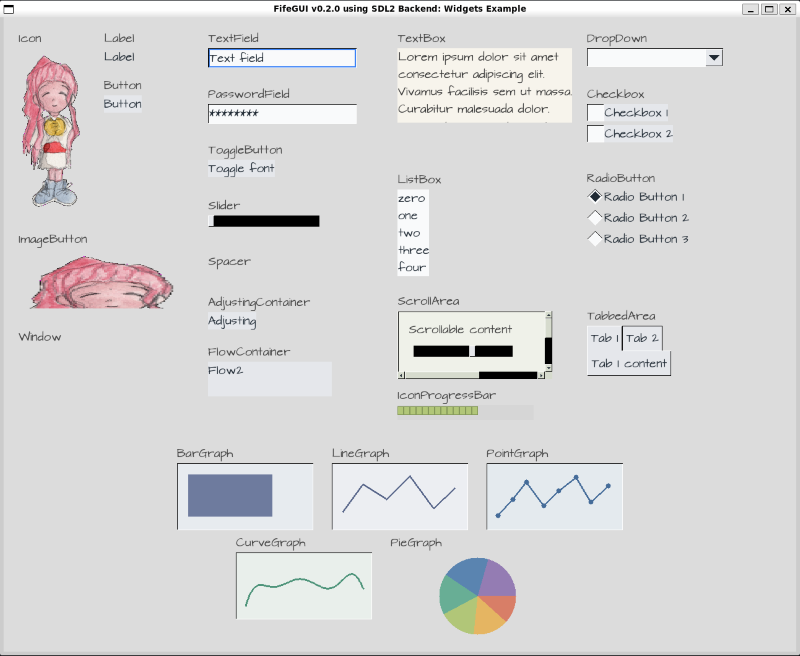
The SDLWidgets demo shows the built-in SDL rendering and input handling capabilities of FifeGUI. It demonstrates a variety of widgets, including buttons, sliders, text boxes, and more, all rendered using the SDL3 backend.
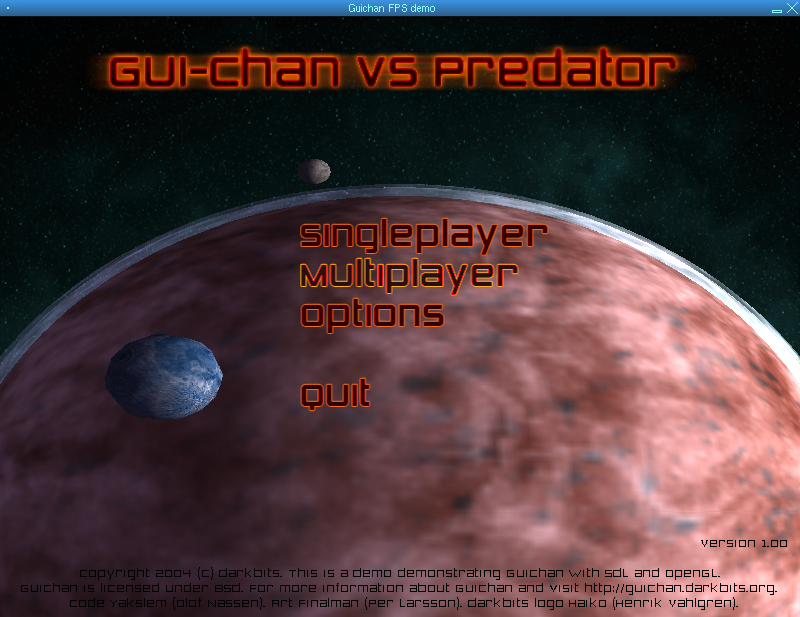
A demo showcasing a custom in-game overlay for a first-person shooter game, demonstrating the flexibility of FifeGUI in creating custom interfaces and integrating with game rendering.
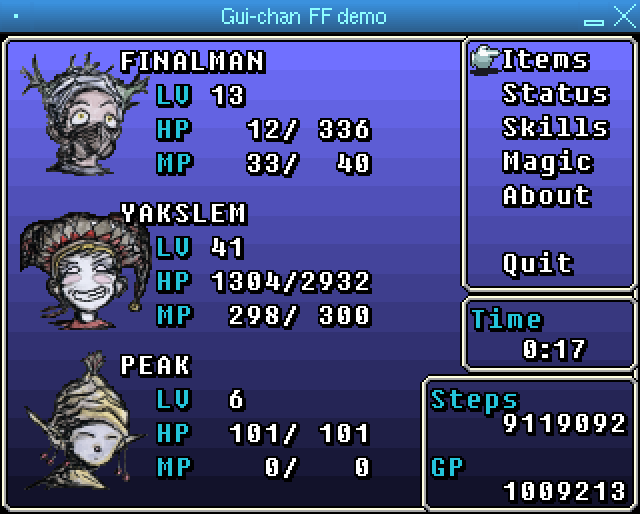
A menu in the style of the Final Fantasy series, demonstrating the flexibility of FifeGUI in creating custom interfaces.
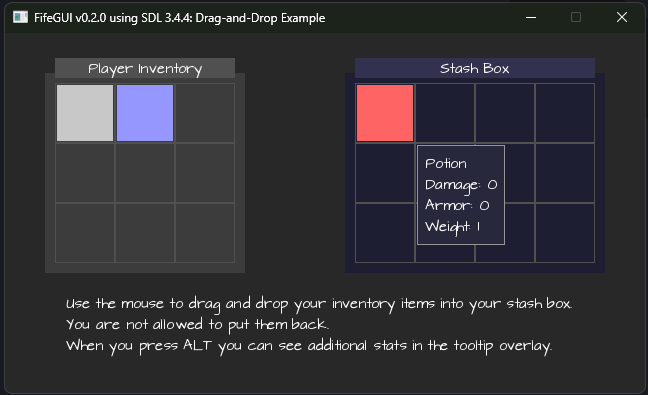
The SDLDRAGDROP demo demonstrates the drag and drop functionality of FifeGUI. It allows users to drag items from one panel to another, showcasing the library's support for interactive UI elements.
On the left side is a user invenory panel with items that can be dragged, and on the right side is a character equipment panel where items can be dropped. Items can only be moved from the inventory to the equipment panel, and not the other way around. Blocked drops are indicated with a red highlight, while valid drops are highlighted in green.
When user hovers over an item, a tooltip is displayed showing the name of the item and its stats. The tooltip information area is extended, when the user presses the ALT key, to show additional information about the item, such as additional stats, descriptions and or lore.
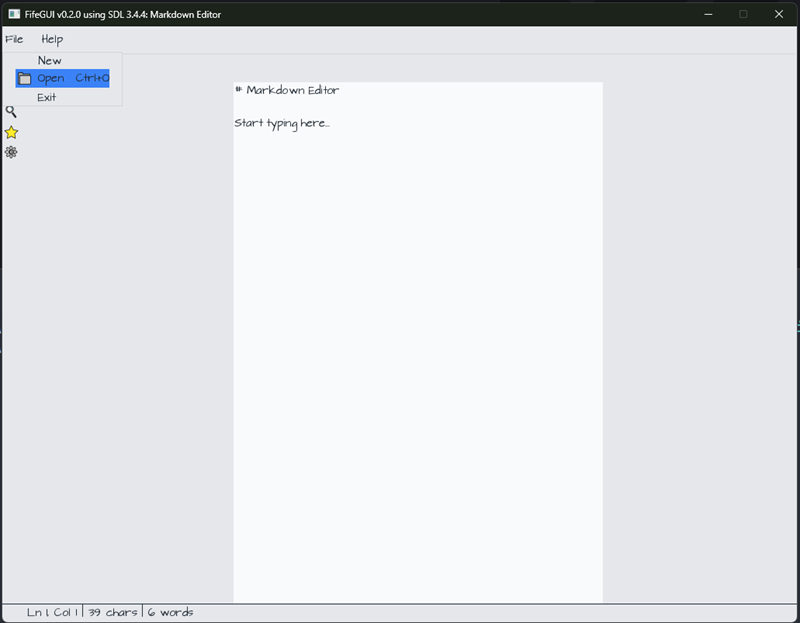
The SDLMDEDIT application showcases key interface components, including a Menu, MenuItem, Menubar, and ActivityBar enhanced with OpenMoji glyph icons. It features a PrimaryPanel on the left and a SecondaryPanel on the right for structured layout organization.
At the center is a textarea that serves as the main Markdown editing area. A Statusbar at the bottom of the window displays the current cursor position, including line and column information.
This is not a fully working Markdown editor, but rather a demonstration of how FifeGUI can be used to create a complex user interface with various interactive components.
You find the latest releases on Github Releases.
We also provide releases for the latest successful build on Github Actions CI.
FifeGUI is also already available from the following package repositories:

FifeGUI is dual licensed under the LGPL-2.1 License and BSD License.
BUILD_SHARED_LIBS: Build shared libraries (default: ON)ENABLE_OPENGL: Enable OpenGL extension (default: ON)ENABLE_SDL: Enable SDL extension (default: ON)FIFEGUI_TESTS: Build tests (default: ON)FIFEGUI_EXAMPLES: Build examples (default: ON)
Additionally, you can also disable the usage of vcpkg with the build flag:
USE_VCPKG: Use vcpkg to manage dependencies (default: ON)
We use vcpkg to manage the dependencies.
The following libraries installed:
For SDL support:
- SDL3
- SDL3_image
- SDL3_ttf
- SDL3_mixer (optional) (FPS demo)
- utfcpp
For OpenGL support:
- OpenGL
For testing:
- Catch2
You can disable the usage of VCPKG with the build flag: -DUSE_VCPKG=OFF and then
install system packages for the dependencies with the following command:
apt install libsdl3-dev libsdl3-image-dev libsdl3-ttf-dev libsdl3-mixer-dev libutfcpp-dev libglew-dev libcatch2-dev